
Is your Pokémon storage always full in Pokémon GO? Do you constantly get the “Your collection is full” message?
This simple guide will teach you how to clean your storage efficiently, what to keep, what to delete, and how to stay organized permanently.
👉 If your item bag is also full all the time, check this guide: Pokémon GO Item Bag Management Guide
⭐ What Pokémon Should You Keep?
You only need to keep 3 main categories of Pokémon:
1. PvP Pokémon (Great League, Ultra League, Master League)
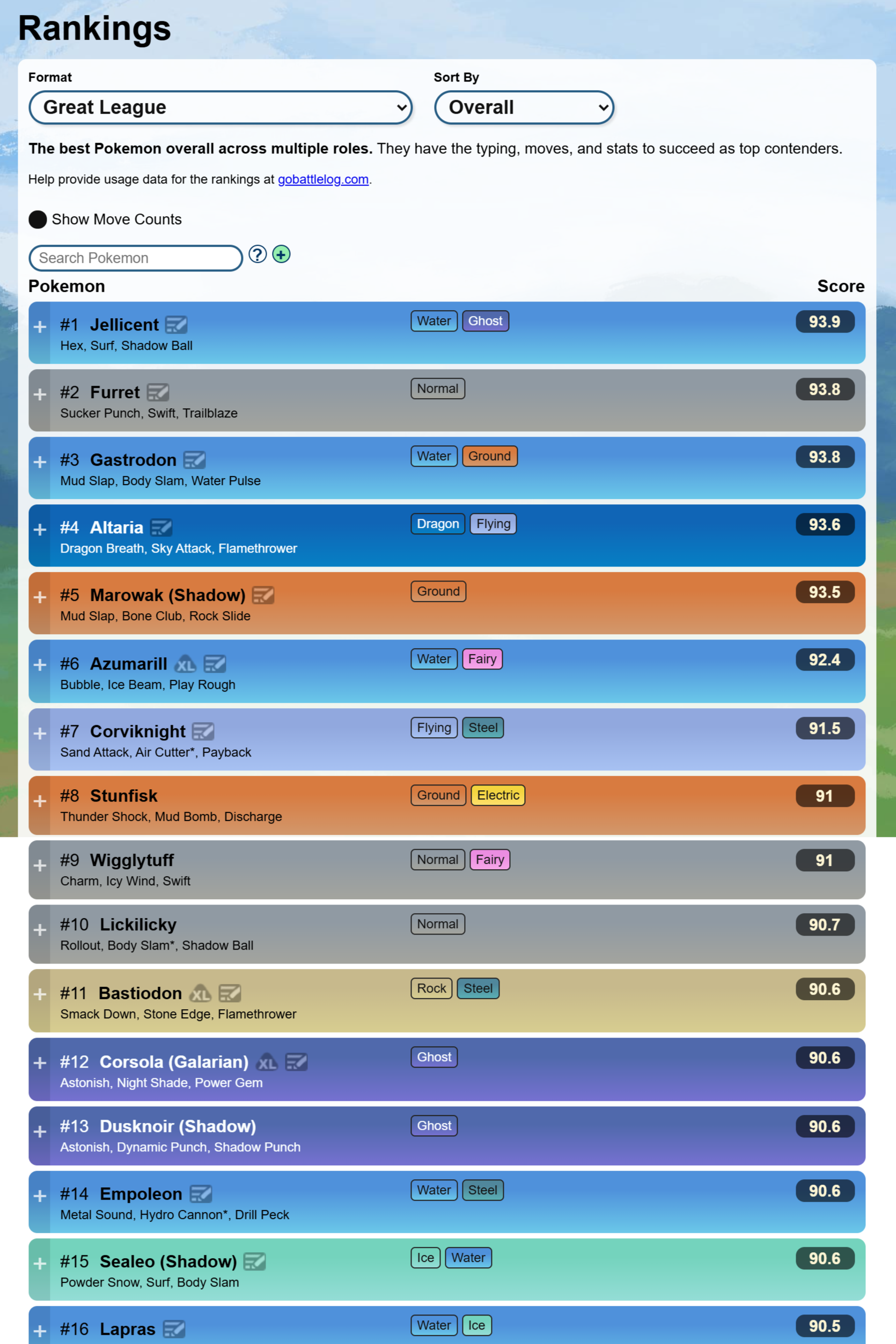
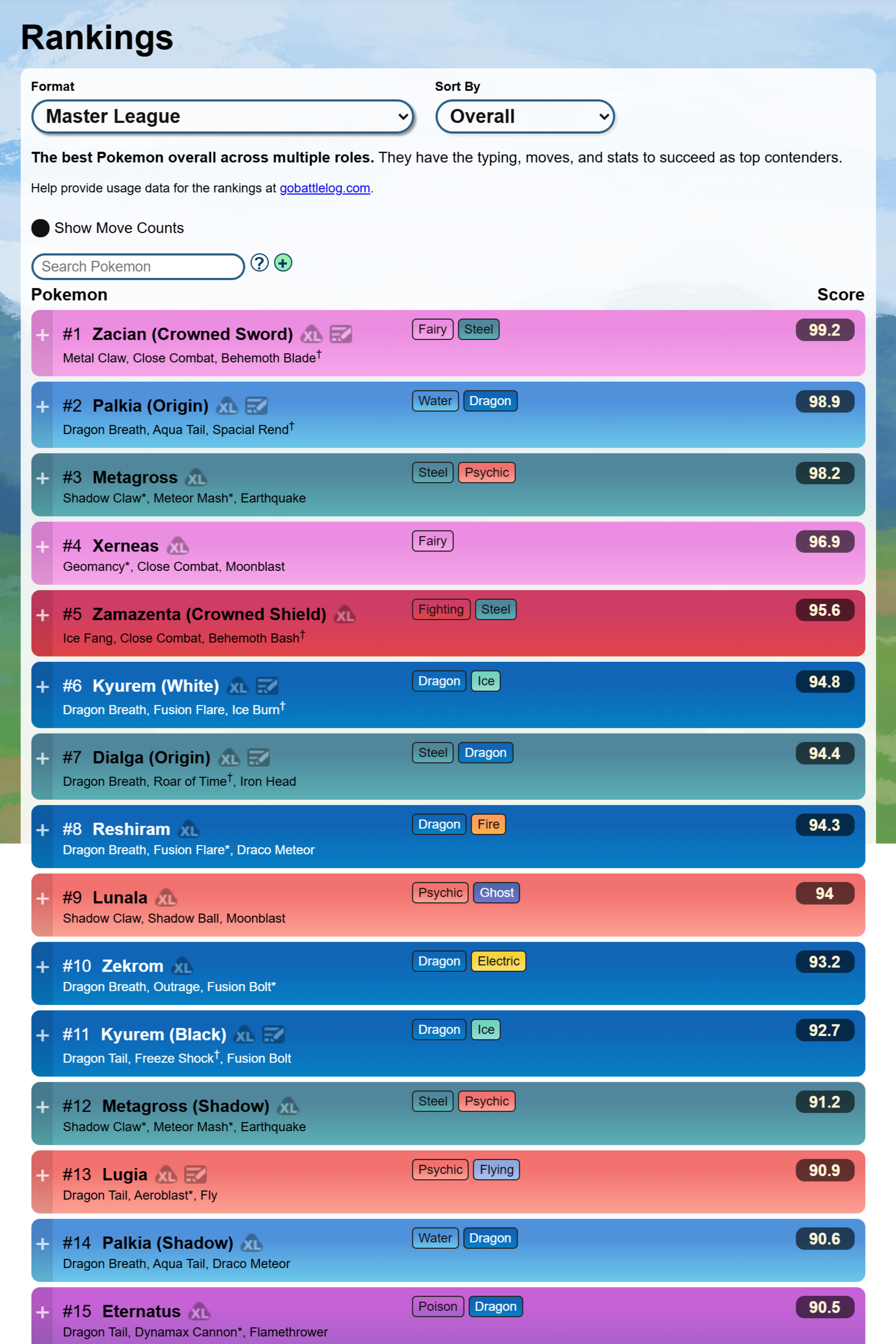
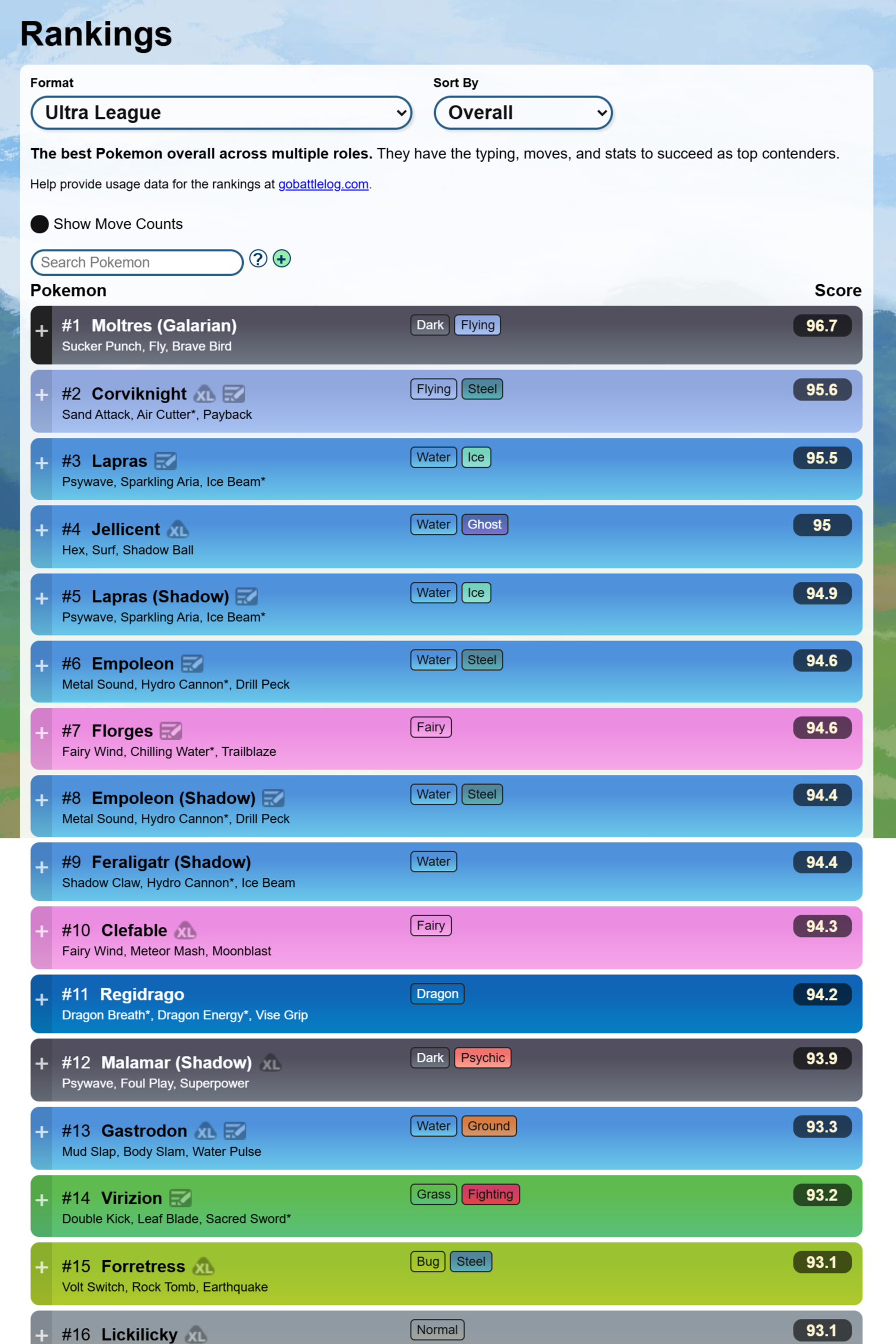
These are Pokémon with good PvP IV spreads (low Attack, high Defense + HP). If you’re unsure which Pokémon are strong for PvP, use:
- PvP Rankings: PvPoke.com Rankings
- PvP IV Checker: Stadium Gaming Rank Checker
2. Raid Attackers
Raid attackers need good Attack stats (ideally 13–15 Attack). Check the best raid attackers using:
- GamePress DPS Spreadsheet (Pokebase): Pokémon GO DPS Calculator
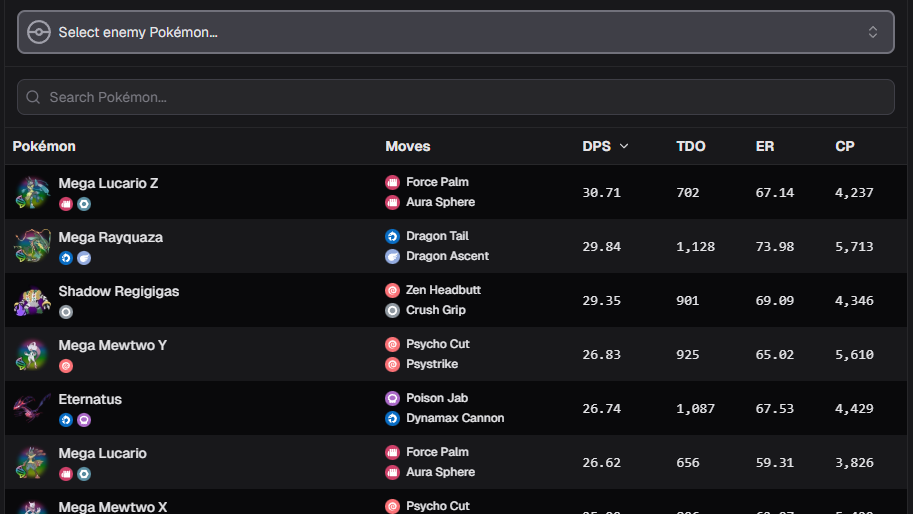
Most important types include:
| Type | Top Attackers |
|---|---|
| Electric | Zekrom, Shadow Raikou, Xurkitree |
| Dragon | Rayquaza, Shadow Salamence, Shadow Dragonite |
| Ghost | Giratina-O, Chandelure, Gengar |
Recommended reading: Pokémon GO IV Guide: Best Pokémon for Raids & PvP
3. Personal Favorites
These are Pokémon you keep simply because you like them:
- Your first shiny
- Rare Pokémon (Galarian birds, event mons)
- Pokémon from special memories
- Your favorite species
If it makes you happy — keep it.
🔍 Step-by-Step: How to Clear Your Pokémon Storage
1. Find and Mark All PvP Pokémon
To quickly locate Pokémon with strong potential for PvP, start by using this in-game search string:
0-1attack&3-4defense&3-4hp
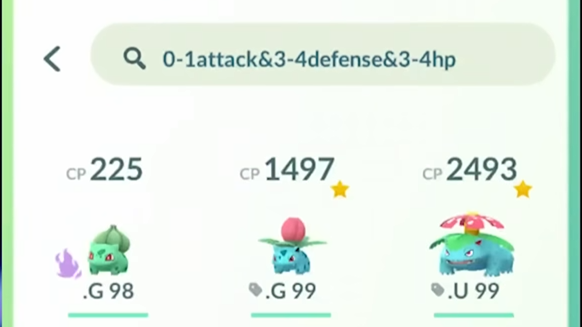
This filter highlights Pokémon with the ideal low Attack and high Defense/HP spread commonly used for Great and Ultra League.
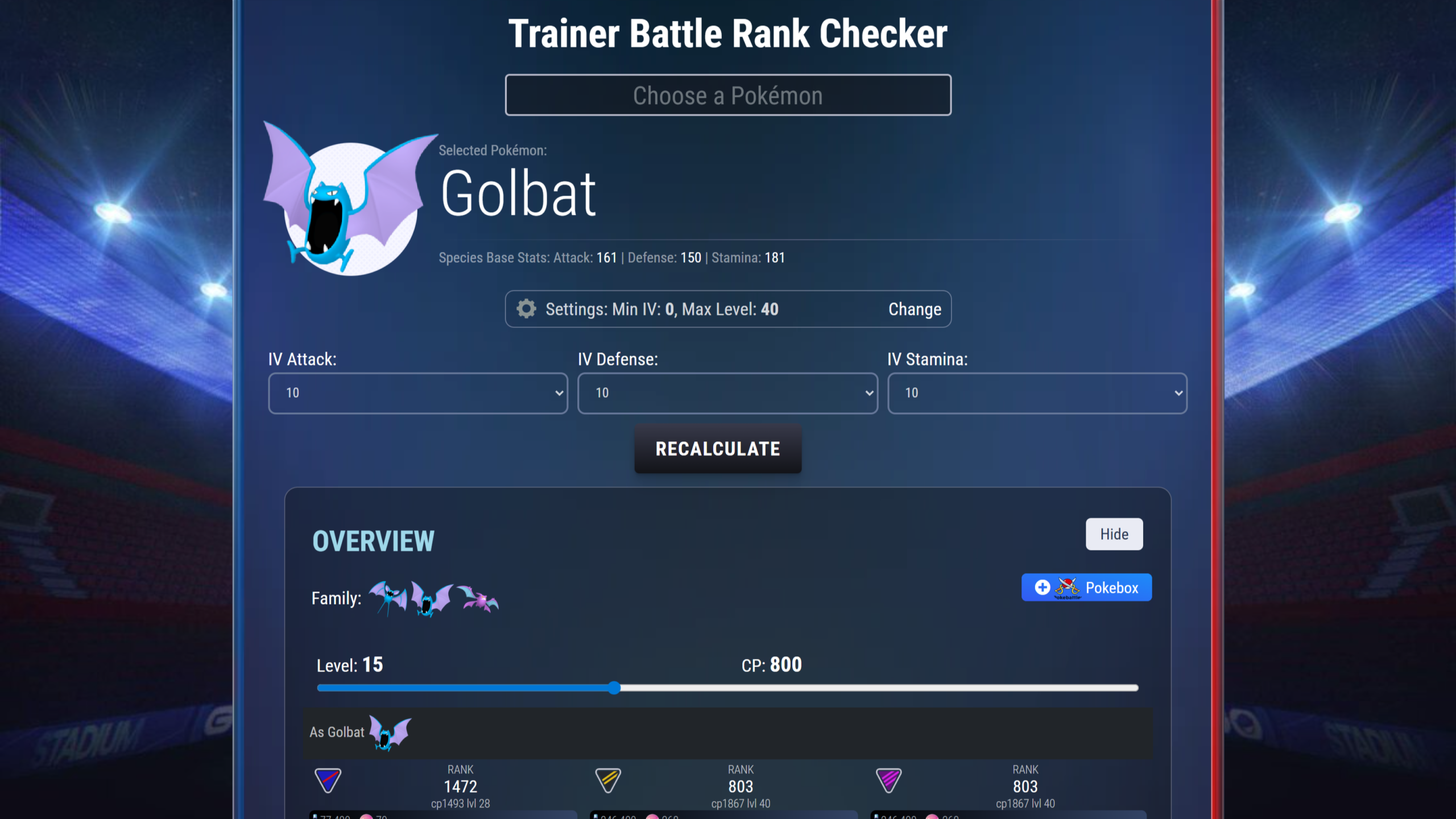
Once you find possible candidates, check their exact PvP rank using:
- PvP IV Rank Checker: Stadium Gaming Rank Checker – See the exact rank (Rank 1, Rank 10, Rank 50, etc.) for every league.
This tool helps you determine if the Pokémon is worth keeping or powering up for PvP.
To stay organized, use a simple nickname tagging system:
- .G = Great League
- .U = Ultra League
- .M = Master League
2. Find Your Raid Attackers
Use this search for good raid IV candidates:
4attack&3*
This filters Pokémon with a perfect Attack IV and at least overall 3-star IVs.
Rename examples:
- .M100 → Hundo raid attacker
- .M98 → 98% raid attacker
3. Apply Safe Filters Before Transferring
To avoid deleting rare Pokémon, use this safe filter:
!shiny&!legendary&!mythical&!shadow&!purified&!4*&!.G&!.U&!.M
This hides everything valuable.
Everything left is “safe to transfer.”
4. Trade Before You Transfer (Smart Tip)
Some Pokémon should be traded first to gain XL Candy.
Examples:
- Pidgey (XL candy farms)
- Onix → Steelix XL
- Any Pokémon you want level 50
After trading, transfer the leftovers.
🔥 Don’t Forget These Categories
1. Shiny Pokémon
For Community Day shinies, keep:
- 3–6 final evolution shinies
- 3 base-form shinies
Transfer the rest unless they have good IVs.
2. Legendaries & Ultra Beasts
Transfer poor-IV duplicates unless you’re saving them for trades.
Enable this to mass-transfer legendaries:
Settings → Expanded Group Transfer
3. Shadow Pokémon
Shadow IVs are rarely good — keep your standards lower:
- 10–15 Attack is enough for raids
- Rank 1–150 is usable for PvP
If the Shadow is garbage and cheap to purify → purify it for badge progress, then transfer.
4. Purified Pokémon
You should only keep:
- Purified Hundos
- Good purified Sableye
Everything else → transfer.
🎯 How to Decide What to Keep
- Will I ever power this up? If not → transfer it.
- Does it have personal value? If yes → keep it.
- Is it useful for raids or PvP? If no → transfer.
💬 Final Thoughts
By following this simple system — PvP Pokémon, Raid Pokémon, and Personal Favorites — you can maintain a clean storage without ever worrying about deleting something important.
Check out my other guides:
Have fun cleaning your storage — and enjoy a smoother Pokémon GO experience!